#1 Screencast-o-Matic.

Screencast-o-Matic is popular software for recording screen. I like Screencast-o-Matic just because of there amazing features and Video quality. Screencast-o-Matic is available in both version Freeware and Paid. Screencast-o-Matic freeware version having some limited access in which you can record upto 15 min video. So we can record videos along webcam also directly publish HD video on YouTube. But the only Screencast-o-Matic-logo
problem is Watermark in Freeware version. In Screencast-o-Matic you can edit video at any frame of second means you cut and add new seen at any frame of second. The overall performance of Screencast-o-Matic is good as compare to others.

#2 CamStudio.

CamStudio logo

CamStudio is another free screen recording software for Windows. CamStudio is light waited and simple software to start recording instantly. CamStudio is able to record all the screen activities and audio on computer. Camstudio is able to create Video file with AVI format and also turn those AVI into Streaming Flash Videos (SWFs). Camstudio is best software for creating short clips and video tutorials. So if want to try Camstudio then download it directly from Official Website of CamStudio.

#3 EzVid.
EzVid logo

EzVid is another best and famous screen recording software. EzVid provides best video quality in its freeware version. EzVid is Coolest screen recorder because of its cutting-edge effects and features. Which includes video recording, Facecam, voice synthesis, screen drawing, speed control these are some the features. All these make it best making videos which entertain, inform and enchant your viewers. In EzVid you can direct upload your video on YouTube just by single click. Since released in 2012 EzVid has been downloaded around millions of times and used to upload videos on YouTube. So if you want to try EzVid download it from official site.

#4 BlueBerry Flashback Express.
BB Flashback Express logo
BB Flashback express is free and useful software for screen recorder and also webcam activities. BB express having clean interface and easy to use which help to create and uploading video easily and instantly. BB express has fine screen recorder compact and high quality video tutorials. After recording video with BB it save files in FBR file format. Which you further and convert into AVI format for sharing and uploading. BB express provide free functioning for 30 days . After that you need to create a new account and register with them to continue using its services.

#5 Camtasia Studio (Paid).

Camtasia Studio logo
Camtasia is most expensive video recording software in market. Camtasia is best and most popular. I just list out this software because of its popularity and features. The above 4 listed software are free to use but Camtasia is only paid and best software. Camtasia is best for screen recording and video editing software published by TechSmith. In Camtasia there are huge number features available for best video creation which you can upload and publish on YouTube and on other network. To download Camtasia visit official site of TechSmith for latest versions.

#6 Tiny Take Screen Recorder.

Tiny Take Screen Recorder PC Software
Tiny Take is one of the best screen capture and Video Recording software for Windows and MAC. It is developed by MangoApps and it is available for free to download. We easily capture pictures and videos of computer screen and easily share with our friends. It can Capture a video up to 120 minutes of our computer screen. It also provide  zoom in and out features and we can easily capture video using web-cam.We can easily  store our screen shot to cloud and share link.

#7 Movavi Screen Recorder.

Movavi Screen Recorder PC Software
It is another Best Software in the list of Best screen Recording softwares for PC.  It is a paid software for PC. It is available for a cost of 29.95 USD. It provide easy to use interface with attractive graphics. It is a light Weight Tool which can capture everything on our screen in high quality video quality. We can easily Export our screen cast video to any desired format. We can save our video at a speed of 60 frames per seconds and set lower speed rate to save our disk space.

#8 Rylstim Screen Recorder.

Rylstim Screen Recorder PC Software
It is also a good software as an alternative to Screen Software for Windows PC. It is freely available for free to download. We can easily Record anything on our Computer screen with just few clicks.  We can easily set screen resolution, Mouse clicking events, frame rates and browse the location for saving our videos etc. It is a light weight tool with easy to use interface. It can not record sound from external input device like microphone.

#9 DVDVideoSoft Free Screen Video Recorder.

DVDVideoSoft Free Screen Video Recorder PC Software
It is another Best Software in the list of Best Screen Video Recording Software for PC. It is compatible with all version of Windows. If you are looking for a free video recording software with simple features then this is best choice for you. We can easily record our screen with sound on the go. It provide our screen recording in AVI format. We can easily highlight our cursor with this tool. We can also capture our screen picture in jpeg, png, bmp, tga etc.

#10 Krut Screen Recorder.

Krut Screen Recorder PC Software
It is another best screen recording Software which is available for Free. It is written in java so it is platform independent. It has a small and easy to use interface. It can record our screen video easily. We can easily set a timer for our recording. we can also preview our on going screen recording. We can also highlight our mouse during recording and hide. It provide recording in two different frame record.
These are best screen recording software for PC which we find useful. There are many more free and paid software available in market. So just try yourself and decide which is best for you.

1. AVS Video Editor.

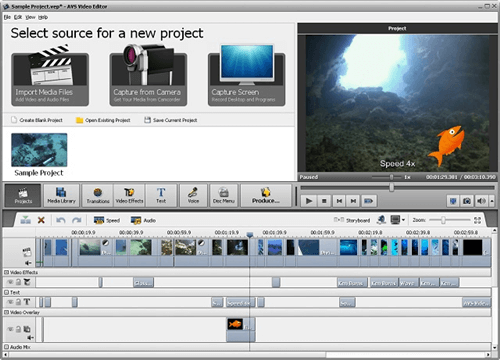
AVS video editor is one of the popular video editor for PC windows OS. It is one of the best software’s to quickly edit a video with a large variety of effects. It support HD video, Non destructive editing, dual audio track etc. It support AVI, MP4, MKV, 3GP, MPG, FLV etc formats. It offer trial version for its trail and full paid version for professional editing. It has ability to share videos directly from platform like Facebook, Flick, MYspace etc.
AVS Video Editor (Paid)Download Button

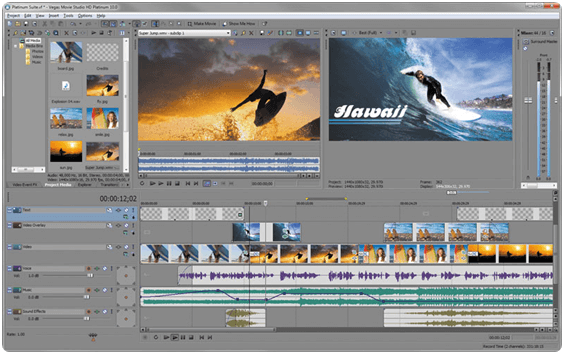
2. Sony Vegas Movie Studio.

Sony Vegas Movie Studio is another popular video editor for PC. It is a collection  of tools with simple and  easy to understand user interface. It consumes less system resources in term of main memory and hard disk space. It support QuickTime, AVI, WMV, MP4, MPEG-4, WAV formats. It provide various effects, in built frames, light effects etc. It also provide trial version to test its functionality. It is available in $49.95.
Sony Vegas Movie Studio (Paid)Download Button

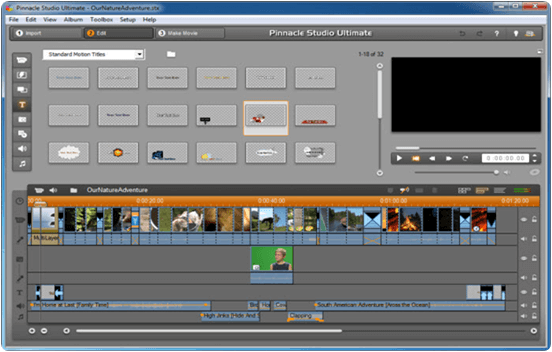
3. Pinnacle Studio.

Pinnacle studio is another important video editor tool for PC. It provide many drag drop tools, support for HD video editing, ability for adding sounds and music, a large collection of transition and effects. It is one of the best tool when someone looking for Windows video editor. It support Non destructive editing, Multiple audio and video tracks, linear time code display. It support AVI, MVC, QuickTime, HDV, MKV input formats and DVD, MPEG-4, MP-4, QuickTime, MKV as output formats. It is available in three different plans and starting from $59.95.
Pinnacle Studio (Paid)
Download Button

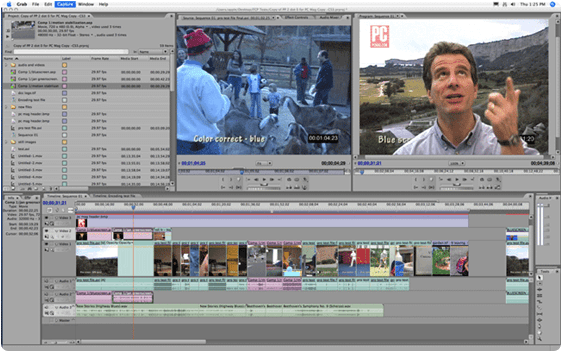
4. Adobe Premium Pro.

Adobe Premium pro is another most popular video editor for PC. When you are looking for professional video editing tools in less cost then you should try Adobe Premium Pro. It support almost every video format. It support HD editing, Multi Track editing, sound editing etc. It offer its various plan for individuals and combo pack for multiuser. It is easy to use and large collection of editing tools.
Adobe Premium Pro (Paid)
Download Button

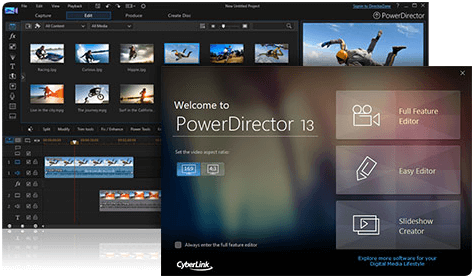
5. Cyberlink PowerDirector.

Cyberlink Power director is another popular PC video editor. It provide simple user interface for editing. It support MVC,  MKV, QuickTime, MPEG-4, WMV as output format and FLV, 3GP, AVI, DAT, WMV, MP4 as input format. It support HD editng, 100 audio and video tracks, storyboard mode etc. It is available in $74.99.
Cyberlink PowerDirector (Paid)
Download Button

Best Video Editing Software For PC (Free).

6. Windows Movie Maker.

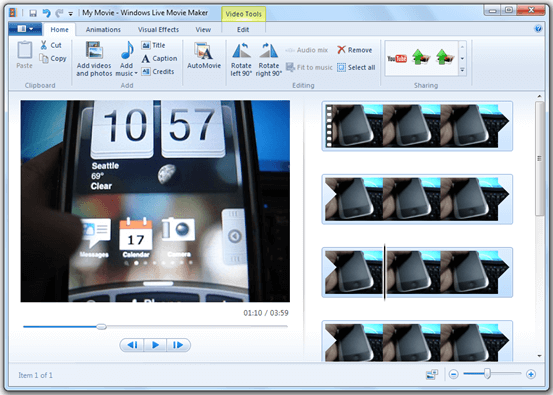
If you are looking for free video editing tools then Windows Movie Maker is one of best option for you. It support all windows compatible formats. It provide ease of use and support storyboard mode, 1 video track and 2 audio tracks, linear time code display etc.
Windows Movie Maker (Free)Download Button

7. Kdenlive.

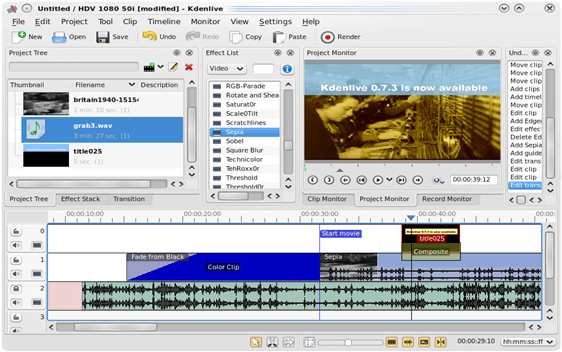
Kdenlive is another popular video editor for PC. It support 2 video and 4 audio tracks, Linear timecode display and support 3GP, MP4, MPEG-4, AVI, MKV formats. If you want simple editing with no more special effects then Kdenlive is one of the best solution for you.
Kdenlive (Free)
Download Button

8. IvsEdits.

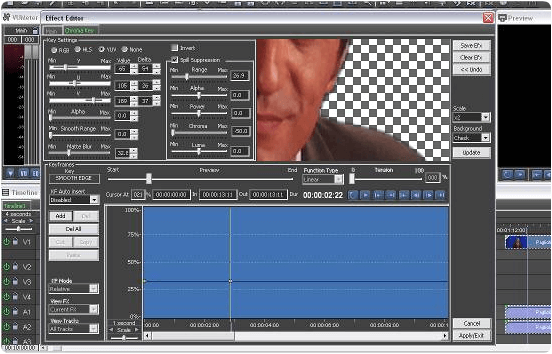
Ivs is another popular freeware video editing software for PC. It can impress everyone through its simple interface and easy to use tools. If you are  new in video editing field and looking for free video editor then IvsEdits is better choice for you without any fees. It support real time inputs, multi-camera editing, collection of video effects. It support all popular video formats for windows.
IvsEdits (Free)Download Button

9. Pitivi Editor.

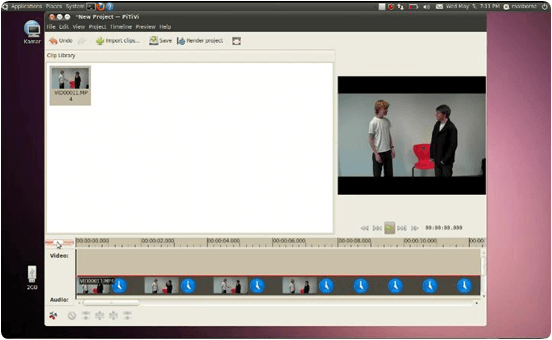
If you are using Linux operating system and looking for free video editor then Pitivi Editor is best choice. Like Linux it is an open source operating system. Pitivi editor offer simple editing tool with which you can edit a video in few minutes. Some of its features are availability in multiple languages, hundreds of filters and effects, transition effects, real time input etc. It support all most all video formats.
Pitivi Editor (Free)
Download Button

10. Avidemux.

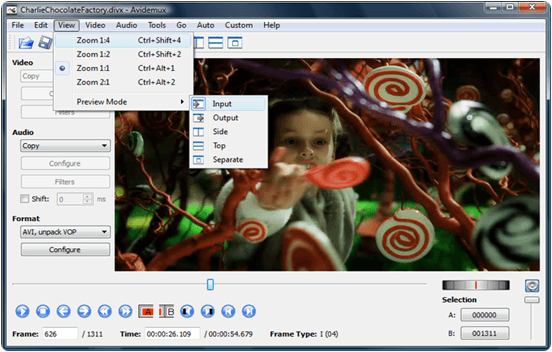
Avidemux is an open source video editor for Windows. It is compatible with all versions of Windows and support almost all formats supported by Windows OS. It is a light weight software which allow you to add logo, crop videos, rotate angles, resize images, control brightness,contrast,color etc. It is good for beginners.
Avidemux (Free)Download Button
So these are few best video editing software for PC. We have listed out almost all the top rated and best software which find and free that helpful for you. There are many more software for video editing available in market. If you feel that we missed out any top rated then don’t forget to your comment we will update it after it soon.

 1. 7-Zip (Free).

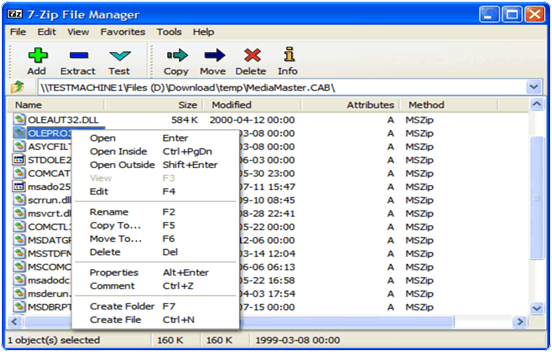
7-Zip is one of the best software to compress large files. It is compatible with Windows 7, Vista, 98, ME, 2000 etc. It support both 32 and 64 bit operating system. It is a open source light weight software. You do not need to pay for this software even after use in commercial computer. It support ZIP, RAR, ARJ, GZIP, TAR, RPM, CPIO, DEB, CAB. For ZIP and 7ZIP, IOS formats it has compression ratio from 2 to 10 percent. It is a powerful file manager for compression and decompression wiith plugin support. It support 87 different languages.
7-Zip files compression toolDownload Button

2. PeaZIP (Free).

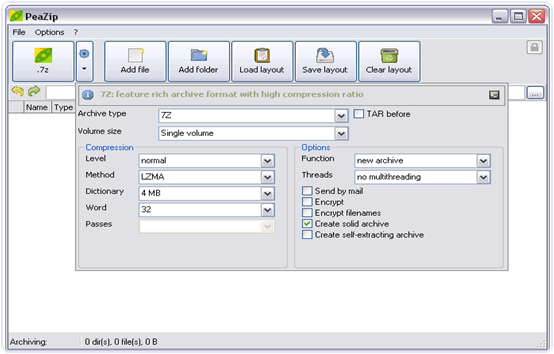
PeaZIP is another powerful file compression software. It is also a open source software which is available for free even for commercial use. It is specially designed for windows and compatible with all version of Windows. It is a free achiever which supports 150 plus file types . The most common formats include 7ZIP, ARC, TAR, UPX, XZ, ZIP, WIM, GZ, PEA, SFX etc. It also provide you strong encryption, authentication with the help of Encrypted password manager and it can also compress and merge two files together. It also provide simple and easy to use interface. It also allow you to convert CD images into ISO files and vice versa.
Download ButtonPeaZIP file compressing software

3. IZArc (Free).

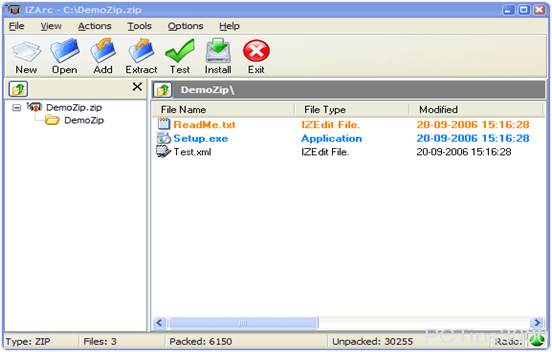
IZArc is another powerful file compression software which is also available for free for commercial use without any cost. It support compression and Decompression of files and also provide file encryption. It is compatible with all versions of Windows. It support file formats including TAR, UPX, XZ, ZIP, WIM, GZ, PEA, LHA, CDI, WAR, ISO, C2D, TGZ, TZ, LHZ, UUE, NRG etc. It also allow you to drag and drop files from and to Windows explorer and allow you to create and extract files. We can convert one file format into another with the help of its powerful converter that is ISO image to NRG and vice versa. It provide 256 bit encryption.

Download Button 
 IZArc files compression software

4. Hamster Free Zip Archiver (Free).

Hamster Zip Archiver is another powerful software which is compatible with all versions of Windows expect Windows 8. It is also open source freeware software for commercial use. It support many file formats including RAR, WAR, ZIP, 7ZIP, ISO, TGZ, HGZ, C2D, LHA, WIM, XZ, UPX, NRG, CDI etc. It also provide option to look files for additional file protection. It provide a colorful interface with easy to use tools. It provide 128 bit file encryption. It also provide file drag and drop capabilities to and from Windows Explorer and quickly allow you to compress this file with in few seconds. It can compress 5 to 10 percent of a file.
Download ButtonHamster Free Zip Archiver software

5. ZIP Genius (Free).

ZIP Genius is another powerful files compression software for Windows which is available for free even its license is also free for commercial use. It is compatible with all version of Windows. It support more 20 file formats including RAR, WAR, ZIP, 7ZIP, ISO, NRG, CDI, TAR, HGZ etc. Its also provide powerful converter to convert a CD image into ISO file or an ISO file into CD Image. It also provide 128 bit file encryption. It provide you CZIP encryption to protect your file from unauthorized file access.
Download ButtonZIP Genius files compressor software

6. B1 Archiver.

It is another best tool in the list of Best file file compression tools. It is available for Windows, MAC, Linux and its flavours , Android etc. It is totally free for personal and commercial email use. It support 40 different formats of compression. It is totally free from malware and adware. It provide an easy to use interface with attractive look. If you are looking for free tool then it is best suitable for you.
Download ButtonB1 Archiver PC Software

7. Zip It.

It is another popular software in the list of best compression tools for PC. It is a light weight software which provide easy to use interface and attractive graphics. It support the the creation of self extracting Zip and file encryption. It is seamlessly integrated into the Windows shells which provide it drag and drop support  and quick access to zip it functionality through Windows Explorer context menu.
Download ButtonZip It PC Software

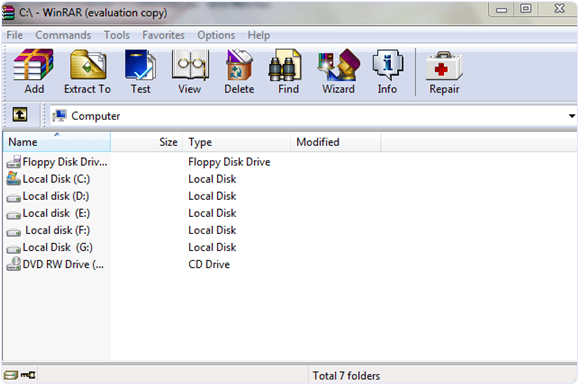
8. Winrar (Paid).

Winrar is one of the most powerful in all files compression software which is available for all version of Windows. It is available for both 32 bit and 64 bit processor. It provide you the drag and drop capabilities to drag and compress files to and from Windows explorer. It provide you to lock the file or folder using a password manager and allow a separate password for each file. It also provide searching capabilities to search a particular file. It is available in more than 50 languages. It support RAR, WAR, ZIP, ISO, 7ZIP, NRG, CDI, TAR, HGZ etc file formats. It is also available for MAC OS. It also provide repair to damage files.
Download ButtonWinrar files compression tool

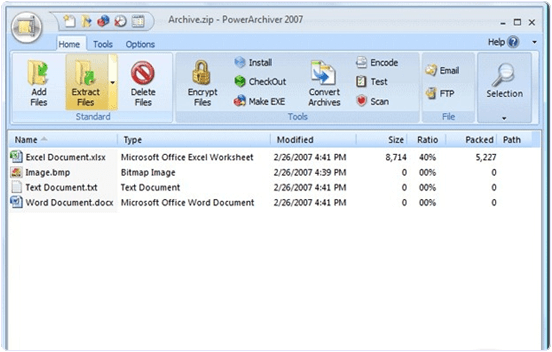
9. Power Archiver (Paid).

Power archiver is another popular paid commercial software for commercial use. It is available for both windows and MAC operating system. It is available for both 32 bit and 64 bit system. It provide you to lock the file or folder using a password manager and allow a separate password for each file. It also provide searching capabilities to search a particular file. It support more 20 file formats including RAR, WAR, ZIP, 7ZIP, ISO, NRG, CDI, TAR, HGZ etc. Its also provide powerful converter to convert a CD image into ISO file or an ISO file into CD Image.
Download ButtonPower Archiver files compression software

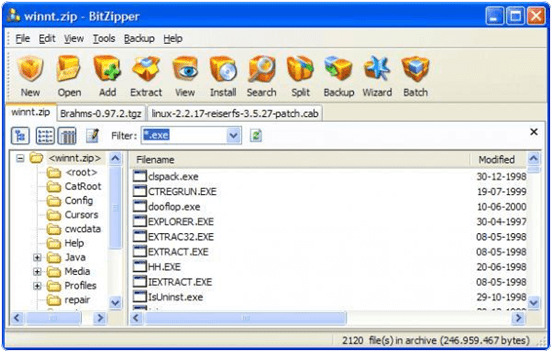
10. BitZipper (Paid).

BitZipper is another popular paid commercial software for commercial use in business organizations and for home users. It is available for all versions of windows. Its lifetime license is available in 24.95 $. It support more 15 file formats including RAR, WAR, ZIP, 7ZIP, ISO, NRG, CDI, TAR, HGZ etc. Its also provide powerful converter to convert a CD image into ISO file or an ISO file into CD Image. It is available for both 32 bit and 64 bit system.
Download ButtonBitZipper files compressing software
These are few best files compression software. Few of them are paid and rest of others are free. If you feel that we missed any of the best file compression software which should be in this list. Please let us know we will update it soon.

MARI themes

{instagram#Boscy1}
Boscyblog. Powered by Blogger.